Home » Magento
HOW TO MAGENTO 2 WORKSHOP
اطلق متجرك الإلكتروني باستخدام ماجنتو ۲
This Magento 2 workshop gives merchants, marketing managers, shop admins the skills needed to setup and manage Magento 2 eCommerce day to day.
Small and Medium entrepreneurs who want to launch their Online Shop (e-Commerce). Can you also benefit from this training. Its designed to help Those who rely on themselves to start selling online using a professional platform. Leading Magento e-commerce platform is explained in details and step by step. This workshop covers from the very beginning to a successful launch and management of your e-commerce business based on Magento 2.
At the end of this workshop you will have a hands on experience in Magneto 2 Platform and you can start using it. The workshop requires you to bring in your own laptop so you can practice every step on your own.
No matter how great your e-commerce idea is, it won’t become a reality without these basic skills. You will launch and manage your store by yourself and learn how to find resources to maintain it.
Starts Saturday 17th Sept, 2022
Event will be in person and not online– Seats are Limited
Days
Hours
Minutes
Seconds
TIME LEFT TO WORKSHOP
Skill set Covered
No matter how great your e-commerce idea is, it won’t become a reality without these basic skills. You will launch and manage your store by yourself and learn how to find resources to maintain it.
Magento 2
Administration
Administer Magento 2
Fundamental Understanding of Magento 2
Setting Up of Store, Products, Organizing Products, Content, Managing Customers & Orders and Promotions, Payment and Taxes
Cart and Payment
Including KNET Gateway
Payment | Gateway
The functions of a payment gateway and a shopping cart are very different. Come understand how to build the right process and insure
Products
Choose the right product
Your Products Online
Understand how to show case products online with different sizes, colors. Physical products or Virtual Products.
Web Pages
Manage pages of the store
Content Managment
control what customers see when they access your store. You can define basic elements for your pages, such as text and images, as well as more advanced elements that provide interactive and dynamic content to enhance the shopping experience.
Categories
Build the right structure
Categories in Magento
Categories are essential to building an effective catalog and user navigation so that your customers can easily find the products they want to you in your online store.
Orders
Understand how orders flow
Order | Invoice | Ship
This section describes the stages of the order workflow and how to process orders, create invoices, and shipments. It also explains how to issue credit memos.
Customers
Understand the Local Buyer
Manage Customers
handle the customer data (Customer, Customer Address and Customer Group entities) both in the admin panel and the storefront
Promotions
increase the sales of your online store significantly
Promotions | Coupons
learn about how to set up product relationships and how to use price rules to trigger discounts based on a variety of conditions. Offer coupon for a discount on a specific product or Schedule a promotion for a period of time
Workshop Details
3 Days – 3 Hours per day
This is an instructor led workshop. It has the advantage of face to face training. Face-to-face training, with its emphasis on human interaction, offers some clear advantages: It allows learners to raise queries in the moment. It enables learners to spend time with peers. Learners can actively practice, collaborate or even compete with guidance from an experienced tutor.
At the end of this workshop you will have a hands on experience in Magneto 2 Platform and you can start using it. The workshop requires you to bring in your own laptop so you can practice every step on your own.
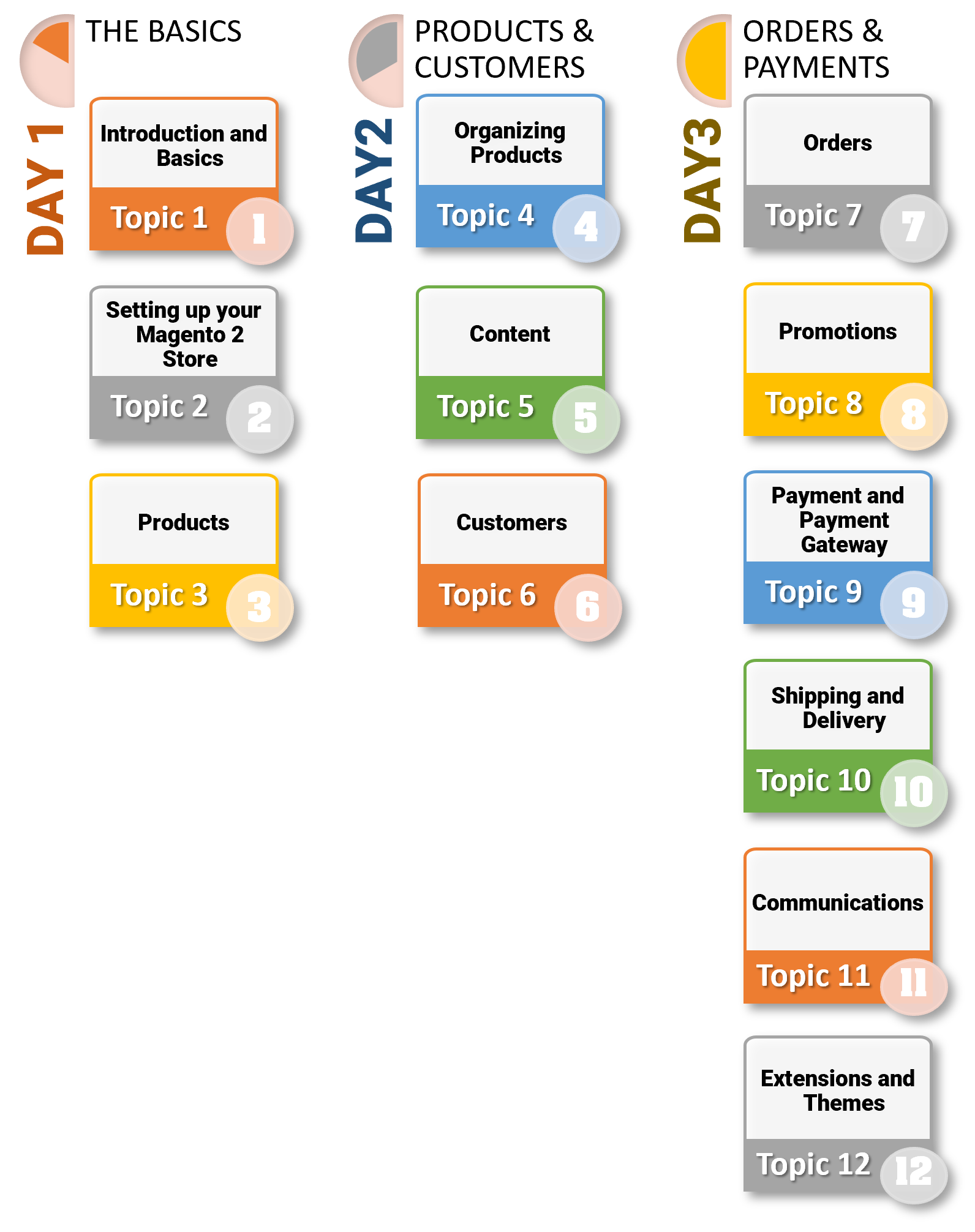
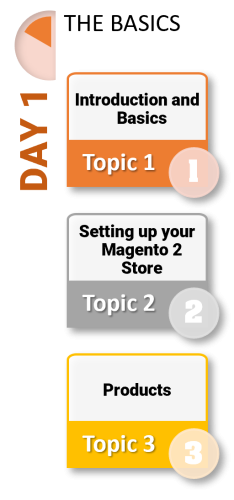
- Day 1
3 Hours
Topic 1 – Introduction and Basics
- Course ─ Overview
- What is E-commerce?
- What is Magento?
- Why to Use Magento?
- Features
- System Requirements for Magento
- Download Magento
- Magento ─ Architecture
Topic 2 - Setting up your Magento 2 Store
- Admin Panel Introduction
- Overview of Dashboard, Sales, and Customers
- Initial Configuration
- Content Configuration
- Store Configuration
Topic 3 - Products
- Creating a Basic Product
- Product Attributes
- Attribute Sets
- Setting up taxes
- Customizable Products
- Configuring a Product
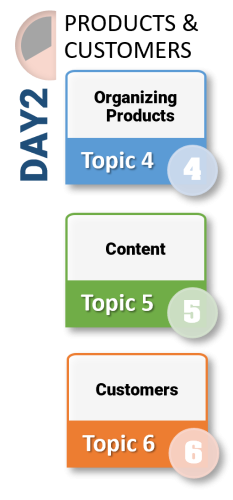
- Day 2
3 Hours
Topic 4 – Organizing Products
- Magento Categories
- Bundle Products
- Relatable Products, upsells and cross-sells
Topic 5 - Content
- Magento Pages
- Blocks and Widgets
- Creating a footer link list
- Creating a homepage
Topic 6 – Customers
- Customers Menu
- All Customers
- Now Online
- Customer Accounts
- Customer Sign In
- Configuring Customer Accounts
- Online Session Length
- Login Landing Page
- New Account Options
- Name and Address Options
- Password Options
- Customer Groups
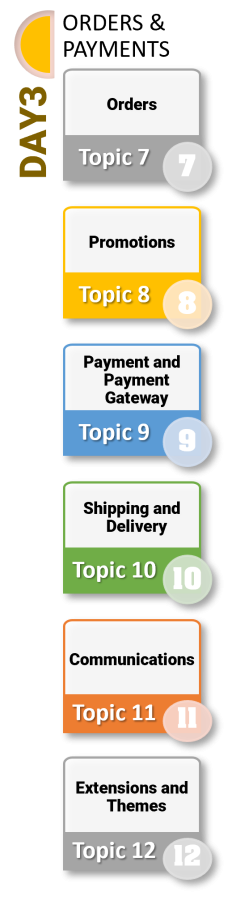
- Day 3
3 Hours
Topic 7 – Orders
- Orders
- Order Workspace
- Order Actions
- Order Search
- Order Workflow
- Processing Orders
- Allow Reorders
- Order Status
- Order Status Workflow
Topic 8 – Promotions
- Catalog Price Rules
- Creating a Catalog Price Rule
- Cart Price Rules
- Creating a Cart Price Rule
- Free Shipping Promotion
- Buy X Get Y
- Free Discount with Minimum Purchase
Topic 9 – Payment and Payment Gateway
- Setting up payment methods
- Tax rules
- Customer tax classes
- Tax configuration
Topic 10 – Shipping and Delivery
- Shipping Settings
- Multiple Addresses
- Shipping Policy
- Shipping Methods
- Free Shipping
- Flat Rate Shipping
Topic 11 – Communications
- Automated Emails
- Newsletters
Topic 12 – Extensions and Themes
- Extensions
- Theme